Signing in opens the balance, bet history, bonuses and personal settings in one place. The luckypari login works with a phone number, email or account ID plus a password. Players can enter from the website, the Android app or an iPhone build. Each device shows the same balance and open bets. If a password is lost, the luckypari account login can be restored by SMS or email in a few minutes.
Phone users have two ways in: the installed app or a mobile browser. The luckypari mobile login works the same on both, but daily use differs.
App: stays signed in for days, so a tap on the icon opens the account.
Browser: the session may end after the cache is cleared or the tab closes.
App: fingerprint or Face ID unlock on supported phones, where offered.
Browser: no install or storage space needed, which helps on phones with 16 GB of memory.
App: push alerts for settled bets and account messages.
Players who bet daily usually prefer the luckypari app login, since it skips typing the password each time.
Login Through the Mobile App
The luckypari login app screen opens right after the first launch of the installed client.
Tap the LuckyPari icon on the home screen.
Press Log In at the top of the start screen.
Enter the ID, email or phone number and the password.
Allow biometric unlock if the app offers it.
Confirm and wait for the main menu to load.
On a shared family phone, close each luckypari mobile app login session through Profile and Log Out. Swiping the app away from recent screens does not end the session.
Login Through a Mobile Browser
The luckypari browser login works in Chrome, Safari, Opera Mini and other mobile browsers.
Type the official address in the browser bar and open the site.
Tap Log In in the top right corner.
Enter the login details and password.
Let the browser save the password only on a personal phone.
Press Log In and add the page to the home screen for quick access.
A home screen shortcut brings each luckypari mobile sign in close to the app experience, without using storage.
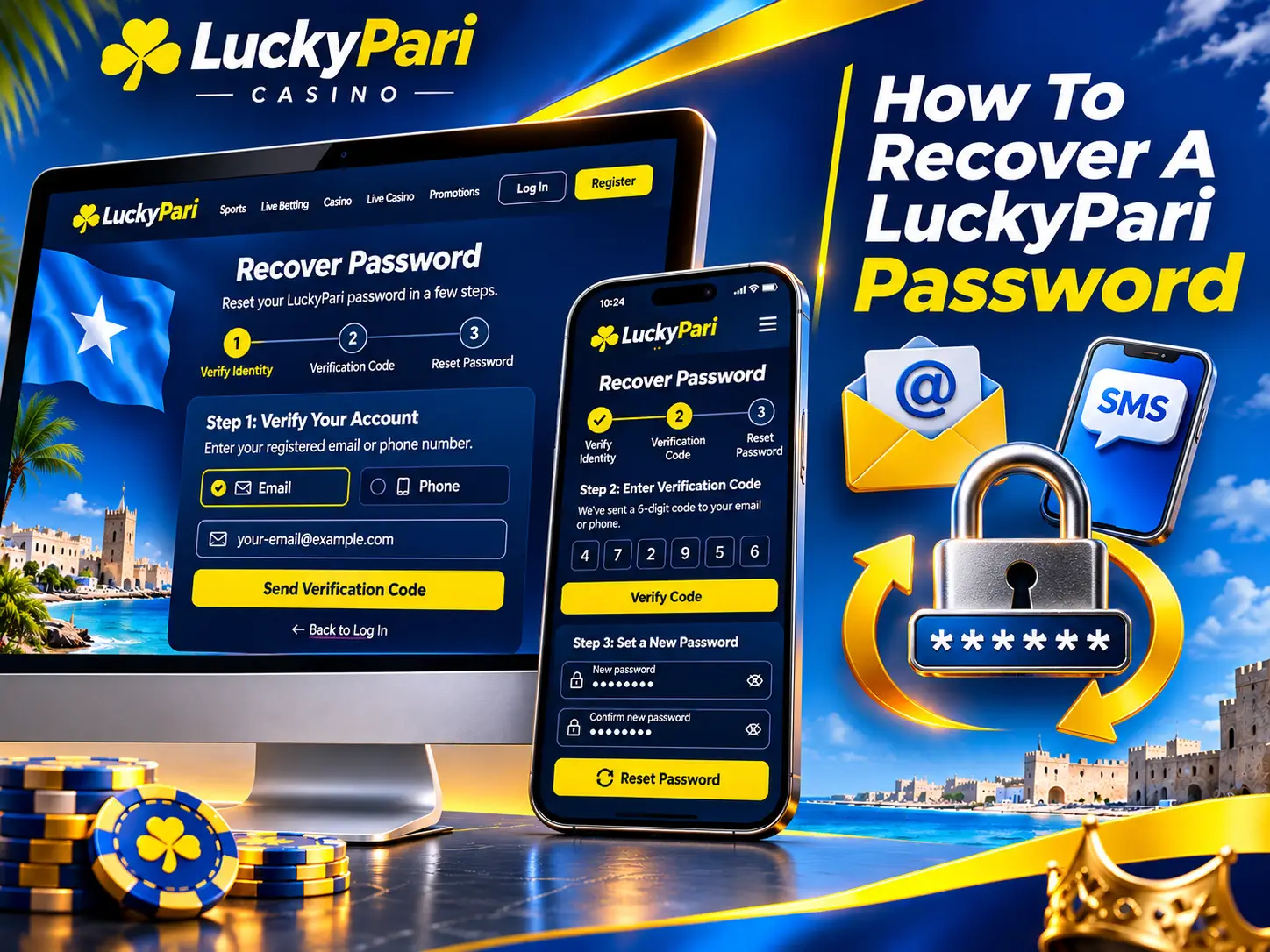
How To Recover A LuckyPari Password
Lost passwords are the most common reason players contact support. The luckypari forgot password link sits under the login form and starts recovery by SMS or email.
Tap Forgot password under the login form.
Choose recovery by phone or by email.
Enter the number in the +252 format or the email used at sign-up.
Type the code from the SMS or open the link in the email.
Create a new password with letters, numbers and at least 8 characters.
Log in with the new password and update it in any saved browser data.
If the old SIM card was lost, the SMS route will not work until the operator reissues the number. In that case, support can complete a luckypari password reset after checking ID documents.
Common LuckyPari Login Problems
Each luckypari login problem below has a common cause and a fix that rarely takes more than a few minutes.
Problem
Cause
Solution
Wrong password message
Caps Lock, keyboard language or a typo
Retype slowly or reset the password
Account temporarily locked
Several failed attempts in a row
Wait before retrying or contact live chat
SMS code not arriving
Weak signal or filtered messages
Move to better signal and request a new code after 60 seconds
Page not loading
Network outage or old browser cache
Clear the cache or switch between Wi-Fi and mobile data
App closes on login
Outdated app version
Install the latest APK or TestFlight build
Account suspended
Duplicate profile or a rules breach
Contact support with your account ID
In 2017, a cut to the EASSy undersea cable left much of Somalia offline for about three weeks. When the luckypari login not working error appears on every device at once, the cause is usually the network, not the account.
LuckyPari Account Security
Account takeovers usually start with a reused password or a code shared by mistake. The luckypari account security settings let players add protection in a few minutes.
Use a password of 10 or more characters that you do not use for email or other services.
Never reuse your EVC Plus or eDahab PIN as a password.
Turn on two-step verification if the security section offers it.
Never share SMS codes, even with someone who claims to work for support.
Log out on shared phones and in internet cafes.
Avoid public Wi-Fi in hotels and cafes for logins and payments.
Support staff never ask for a password or a full SMS code in chat. A luckypari secure login also depends on the device, so keep Android or iOS updated with the latest security patches.
FAQ
The luckypari online login accepts an account ID, email address or phone number together with the password. The ID appears after registration and in the profile section. Players who signed up through social media use the same social button to enter.
Yes, the same account works on a phone, tablet and computer. Balance, open bets and bonuses stay in sync on every device. Log out on any device you no longer use, especially one shared with others.
The most common causes are Caps Lock, a different keyboard language or an old password saved in the browser. Type the password manually once to rule these out. If it still fails, use the Forgot password link under the form.
In the app, a session usually stays active until you log out. In a browser, it may end after the tab closes or the cache is cleared. Ending sessions manually on shared phones keeps the account safe.
Repeated failed attempts can lock the luckypari sign in form for a short time. Wait before trying again, then reset the password if needed. If the block stays, contact live chat with your account ID and registration phone number.